Road trips in the U.S.
Make the drive part of the trip.
Share a destination from Google Maps and get the best food, coffee and scenic stops along your drive, with arrival times. Then open the route in Google Maps.
Works with the Google Maps app you already use. No account needed.
How it works
From Google Maps and back, with better stops.
No new navigation app to learn. Mapbreak plans the stops; Google Maps drives you there.
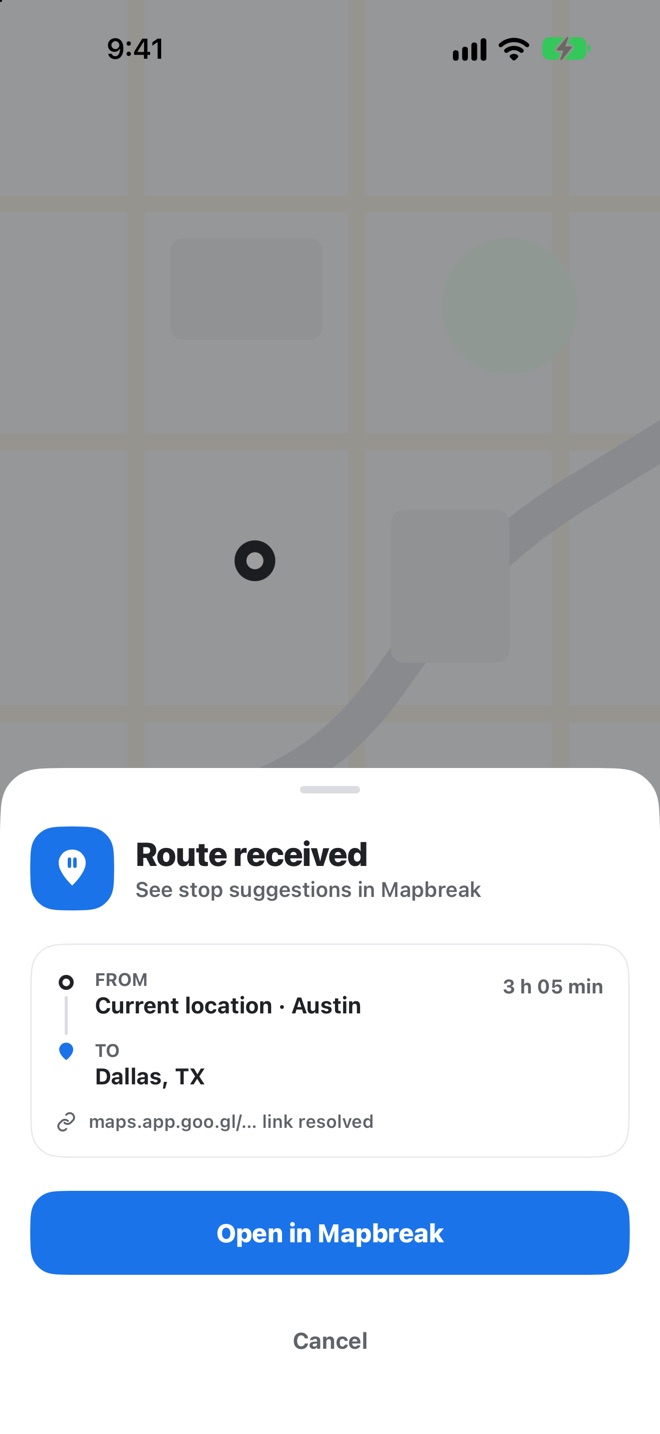
Share a place
Open a place in the Google Maps app and tap Share.
Pick Mapbreak
Choose Mapbreak in the share sheet, or paste a Maps link into the app.
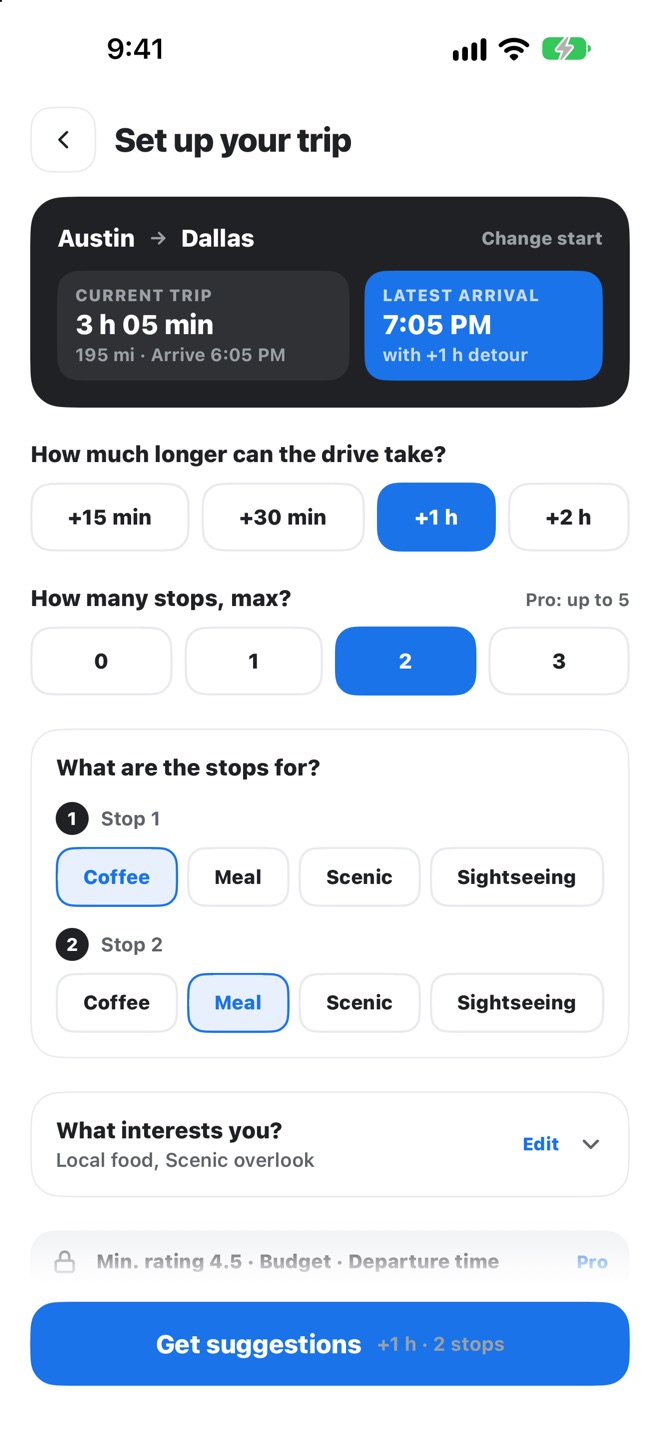
Set your trip
How much longer the drive can take, how many stops, and what each one is for.
Pick and go
Pick from the suggestions, preview the route and open it with one tap.
Planned around your time
Every stop fits your time budget.
- Set a time budget: 15, 30, 60 or 120 extra minutes
- Your latest arrival time updates as you plan
- Every suggestion shows the minutes it adds and when you'll get there
- Over budget? Mapbreak tells you clearly and leaves the choice to you
- Coffee
- Meal
- Scenic
- Sightseeing
Built for the road
Real places, real arrival times.
Open when you arrive
Ratings, review counts and opening hours from Google, so you stop at places that are open when you get there.
Preview before you go
Every stop placed along your route with its arrival time, plus total drive time, distance and added minutes.
Right in the share sheet
Mapbreak appears in the iOS share sheet, so you can send a destination straight from Google Maps.
Past routes
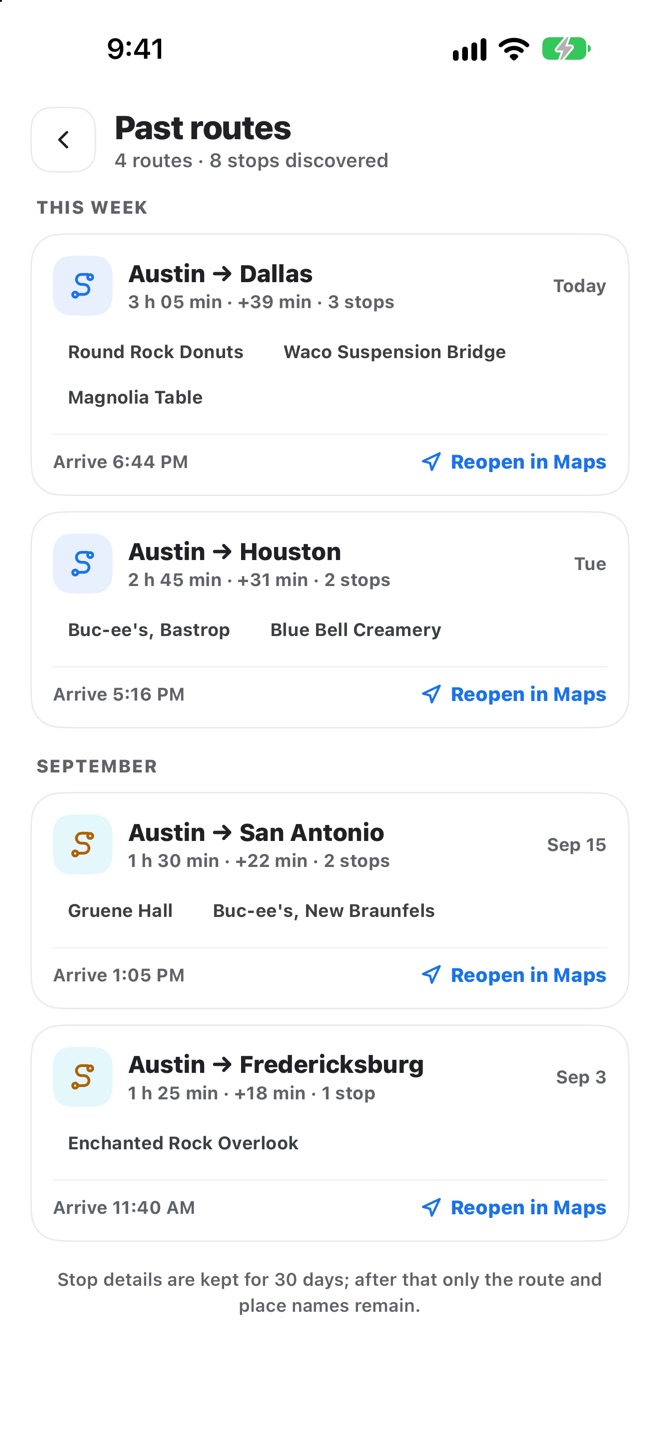
Reopen your recent road trips.
Your route history lives on your phone. See your recent trips and open them again whenever you need them.
Privacy
Your trip, not your data.
No account
We never ask for your name, email or phone number.
Location stays yours
Used only as the starting point while a route is planned, and never stored on our servers. Or type a starting point instead.
No ads, no tracking
We don't track you across apps or websites, and we don't sell your information.
Pricing
Your first route plan is free.
Try the whole planning flow first. Upgrade when you're ready to hit the road.
Free
One route plan
- Suggestions along your route
- Stop details
- Route preview with arrival times
Pro
Yearly with a 7-day free trial, or monthly
- Unlimited route plans
- Open routes in Google Maps
- Up to 5 stops per route
- Unlimited route history
Mapbreak Pro is an auto-renewing subscription, billed yearly (with a 7-day free trial for eligible new subscribers) or monthly. The price is shown in the app before you subscribe. Manage or cancel anytime in your Apple Account settings. See the Terms of Use.
FAQ
Questions, answered.
Is Mapbreak a navigation app?
No. Mapbreak plans your stops; turn-by-turn directions come from Google Maps, with your stops added as waypoints.
Where does the place information come from?
Ratings, review counts, opening hours and photos come from Google. Travel times and arrival times are estimates.
What's free and what needs Mapbreak Pro?
Your first route plan is free: suggestions, stop details and the route preview. Opening routes in Google Maps and planning more routes require Mapbreak Pro.
Do you store my location?
No. Your location is used only as the starting point while a route is planned, and it is never stored on our servers. Details are in the Privacy Policy.
Where is Mapbreak available?
Mapbreak is coming soon to the App Store for iPhone, for road trips in the United States.

Take a break on the map.
Plan before you drive, or let a passenger do it.